Remote Work Resources

Tools, guidance and security practices for remote and hybrid work at the university.

Remote Work Overview

Expectations, set-up guidance and best practices for working off campus.

Remote Technology & Tools

Work from home or campus with the right tools. Browse collaborative productivity tools to have virtual meetings, online chats, soft phones and connect remotely to your files.

Remote & Hybrid Work IT Security

Ensure you are following university guidelines and standards in regards to protecting university data and safely using shared devices.

Best Practices and Considerations for Remote and Hybrid Work

1

Request VPN Access

Virtual Private Network (VPN), provides encrypted connectivity to university systems and resources using the GlobalProtect VPN client. Use this service to request new VPN access or receive support diagnosing and resolving issues with your VPN connection.
Request VPN Access
2

Register with Duo (MFA)

Duo is the university’s tool for Multi-Factor Authentication (MFA), which enhances security by requiring users to verify their identity before accessing university information. Using MFA makes it more difficult for a cybercriminal to access the university’s systems in the event your credentials or information is compromised. Duo is mandatory for accessing systems such as student and employee portals, Human Capital Management (HCM), and other systems that contain protected information.  
Duo Registration
3

Maintain Strong Passwords

Ensure minimum requirements for passwords used to access university information systems are met. Strong passwords reduce the risk of unauthorized access to university technology resources and data.
View University Password Standards
4

Use University-Managed Devices

Using university-managed devices is vital for security and protecting university assets and data. University-managed devices, through the Endpoint Management service, will be compliant with university policies and national requirements.
Request Endpoint Management Support
5

Ensure Data Security Controls Are Met

Remote work employees continue to be bound by university information security polices while working at an alternative worksite. Remote work employees will be expected to ensure the protection of proprietary university information accessible from their home office. Security safeguards and document retention policies should be applied at the level as they would when working on-site in order to protect such information from unauthorized disclosure, loss or damage. Steps include the use of locked file cabinets and desks, regular password maintenance, and any other measures appropriate for the job and the environment.
Learn More: Protect Data in Your Documents
6

Review University Data Classification Standards for Document Privacy

Review the university's data classification on protected and private information for the best ways to keep information safe when working remotely. 
Review Data Classification Guidelines
7

Get Support

Have a question about any of these guidelines? Get remote work support now. 
Get Support

Shared Classrooms, Conference Rooms, and Auditoriums Computer Security Guidelines

ISS continues to enhance cybersecurity efforts to protect our campus, university systems, and sensitive personal data from vulnerability and breaches. Security improvements have been made providing an additional layer of protection against disruption of computer systems in campus classrooms, common conference rooms, and event spaces. What this means:

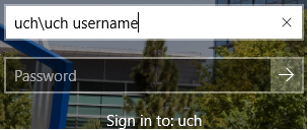
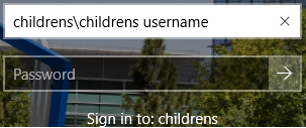
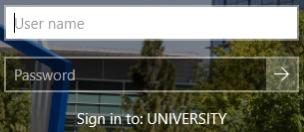
  • Faculty, staff, and affiliates will need to log in to shared computers in conference rooms, classrooms, and event spaces using your Username and Password.  
  • University of Colorado, UCHealth, or Children's Hospital Colorado credentials are required to log on to podium computers in classrooms, conference rooms, and auditoriums managed by ISS on the CU Anschutz and CU Denver campuses.

Information Strategy and Services

CU Anschutz

Fitzsimons Building

13001 East 17th Place

Aurora, CO 80045


CMS Login