Common Cyber Attacks

Recognize common cyber attacks and know what to do to protect your and university data.

At a Glance: Common Cyber Attack Types

Phishing

Understand how phishing works, what to look for and how to report suspicious emails.

Phishing is a psychological attack used by cyber criminals to trick you into giving up information or taking an action. The term originally described email attacks that would steal your online username and password. However, phishing has evolved and now refers to almost any message-based attack.

Phishing attacks attempt to target your payment card data, gain control of your device or access your accounts. More than 90% of data breaches started with a phishing scam. These attacks begin with a cyber criminal sending a message pretending to be from someone or something you know, such as a friend, your bank, your company or a well-known store.

Phishing attacks often encompass:

  • A URL inconsistent with the message (for example, a message that claims it is from the service desk but does not include ucdenver.edu or cuanschutz.edu in the URL). Our campus email system tags messages from external senders with [External Email - Use Caution]. If an email claims to be from an internal CU team (e.g., the OIT Service Desk), but has this tag, it may be a phishing attempt.
  • Spelling errors, poor grammar and odd formatting
  • A reply-to email address that is not from "ucdenver.edu" or "cuanschutz.edu"
  • A request for a password or other sensitive data
  • Generic greetings, like "Dear customer"
  • Threat to delete account if no action is taken 

How to Know if Your Account is Compromised:

  • You are unable to login to your account because a hacker changed the password or your account is clearly disabled or locked
  • You are unable to send an email to external addresses because Microsoft has blocked it
  • You notice missing emails or returned undelivered emails
  • You find an unknown forwarding email or deleting email rule in place
  • You see multiple unknown sent items appear in the “Sent Items” folder
Visit our Knowledge Base (login required) for step-by-step guidance on reporting a phishing attempt. 

Phishing Tests

Learn more about why we conduct phishing tests at the university and the value it provides.

Phishing testing is about prevention, realistic preparation, and protecting our people and data. It is NOT about punishment or deception. Avoiding realistic testing does not eliminate risk, it concentrates it.

Smishing

Understand how smishing works, what to look for and how to report suspicious messages.

Smishing is a term that combines “SMS” (better known as texting) with phishing.  It involves a cybercriminal texting you a request (as described above) while impersonating someone you know.

Phishing is typically a fraudulent email campaign sent out to end users in an attempt to gain sensitive information or compromise login information. Once this information is obtained, threat actors can leverage that login to move within an organization to steal confidential data, plant malware or ransomware, or other malicious acts that may benefit them.

Smishing text messages often appear to be coming from a bank, asking for personal or financial information, or from the local post office to gain other personal information. In recent university cases, they appear to be coming from the Chancellor or other campus leadership asking for purchases to be made or for personal or financial information to be shared.

Smishing text messages rely on the trust between the person being impersonated and the person receiving the text messages. They will often heighten the target’s emotions by creating a sense of urgency and disguise themselves with context that may be believable to override a person’s critical thinking skills and spur them into quick action.

University leadership has been the target of text phishing/smishing campaigns, where cybercriminals are using mobile text messages to impersonate campus leaders for personal gain. Typically, these types of messages ask someone to open a malicious website and type in sensitive data, such as a password, a PIN, or other personal information, but they can also be as simple as requesting that someone sends money or purchases gift cards.

How to identify a smishing text:

  • Slow down, even if a message is urgent. Be skeptical. Ask the question, “does it make sense for this individual to make this request of me?”  Generally, answering this question is enough to identify smishing. 
  • Do not respond. Attackers depend on your curiosity or anxiety over the situation, but you can refuse to engage. Even replying to a prompt like texting “STOP” to unsubscribe can be a trick to identify active phone numbers.
  • Check the phone number. Odd-looking phone numbers, such as 4-digit ones, can be sure-fire ways to identify a smishing text. If you have the person saved as a contact, go into your contacts list and verify the phone number is accurate. If it is not, it’s likely a smishing text.
  • Contact the purported individual directly. If you doubt the validity of the message, contact the person directly (email them or call them on a known number) to verify if the message is real. Do not respond to the text in question!
  • Never provide a password or account recovery code via text. Both passwords and text message Multi-Factor Authentication (MFA) recovery codes can be used to take control of your account. Never give this information to anyone, and only use it on official sites.
  • Report the event to the Service Desk and let the victim know that this is occurring.

How to Know if Your Account is Compromised:

  • You are unable to login to your account because a hacker changed the password or your account is clearly disabled or locked
  • You are unable to send an email to external addresses because Microsoft has blocked it
  • You notice missing emails or returned undelivered emails
  • You find an unknown forwarding email or deleting email rule in place
  • You see multiple unknown sent items appear in the “Sent Items” folder

Notes:

  • Both Apple and Android have the same process.
  • You cannot report a message after you’ve replied to it. Best practice is not to reply to anything suspicious, especially when it is an unknown number.

If you have NOT opened the message on your phone, follow these steps: 

  1. Open the Messages app on your phone.
  2. If you haven’t opened the suspicious message, swipe left on the message and tap the trash icon to delete. 
  3. An option will come up to “Delete” or “Delete and Report Junk.” Select the option to “Delete and Report Junk.”
  4. Note: You can also do this if you open the message, back out without replying, and return to the main message screen. 

If you HAVE opened the message on your phone, follow these steps: 

  1. Open the Messages app on your phone.
  2. If you have opened the message, a “Report Junk” link appears at the bottom of any message from an unknown sender. 
  3. Tap that link at the bottom of the message to “Delete and Report Junk.”

What do I do if I become a victim of smishing?

A victim of smishing is identified as someone who was successfully tricked by the attack – someone that clicked a malicious link, shared a password or identification code, or shared other sensitive information. If you have fallen victim to one of the attacks, you can do the following:

  1. Report the suspected attack to any institutions that could assist.
  2. Change passwords and account PINs where possible.
  3. Freeze credit cards and other financial items to prevent financial loss or ongoing identity fraud.
  4. Monitor finances, credit cards, and various online accounts for strange login locations and other activities.
  • Education. Any form of phishing, smishing, or social engineering attack can only partially be blocked with technological solutions – solutions that we already have in place. There will always be some that find their way through, and we can only protect ourselves by educating our population.
  • Spam Blockers. Spam blockers on email systems are already a best-practice setup in organizations and do block 99% of phishing attacks entering organizations. CU Denver and CU Anschutz does already have these in place. Service providers for phones and text messages are also implementing these for their customers.
  • Reporting Systems. These help organizations react when attacks make it through – where emails can be purged from inboxes to protect those who haven’t seen them yet, or to send out communications to warn people of particularly sophisticated attack methods. Reporting a Security Incident at the university takes only a few steps. 

MFA Phishing

Understand how MFA phishing works, what to look for and how to report suspicious MFA requests.

Multi-factor authentication (MFA) phishing is when a malicious actor attempts to gain access to a secure account and sends a false MFA request to a user.

MFA phishing is one method malicious actors use to bypass IT security measures to gain access to secure data and information. 

MFA is intended to prevent cybercriminals from using any compromised credentials and passwords, but with MFA phishing they are able to overcome this security protection. 
  • Malicious actors will attempt to use compromised credentials and login to a secure access point.
  • This will generate a MFA request to the compromised user.
  • If  a user is not paying attention to the MFA request details, they may approve the request and allow the malicious actor access.

By remaining vigilant and checking all MFA requests that come through, you can spot an MFA phishing attempt and decline it.

It is best practice when using Duo for accessing university resources to read through the pop-up message and verify your details before approving the login attempt. Don’t approve, unless it’s you. 

Remember, you can help mitigate cyber vulnerabilities by keeping the following in mind:

  • If you are not attempting to login to a university system and did not request a push notification, do NOT approve the request.
  • Similarly, if you read the details and the location is not your current location or it doesn’t match up with your information, do NOT approve the request.
  • When in doubt, reject the request.
  • If you think your credentials may be compromised or you receive a suspicious Duo notification, decline the request and report the incident to the Service Desk

If your workstation has been attacked:

  • Stop all actions. Do not turn off the computer.
  • Contact the Service Desk at 303-724-4357 (4-HELP, if on-campus) and report the incident.

SIM Swapping

Understand how SIM Swapping works, what to look for and how to prevent fraudulent access to your phone number.

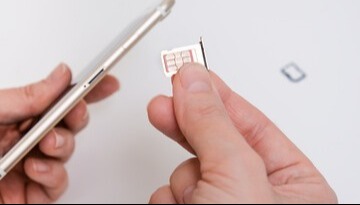
SIM Swapping is when a cyber criminal maliciously tricks a mobile company into transferring a subscriber identity module (SIM) card from one user's cell phone profile to their own device in order to gain access to their data and activities.

Why is SIM Swapping a threat?

SIM Swapping is a threat because not only does it give a malicious actors access to a user's phone and cell phone activity, but security codes required for MFA are often sent via text and cybercriminals with fraudulent SIM cards can approve or complete account verification steps. They can use this fraudulent verification to access sensitive personal data, and/or to infiltrate company networks and access confidential business data.  

To help protect your and the university's data, it's important to understand how SIM Swapping cyberattacks occur.

A cybercriminal gets a user's personal information:

  • Cybercriminals are looking for information that will allow them to maliciously act as a user such as name, date of birth, contact information, etc.
  • They can find this information from online profiles or phishing/smishing attempts.

The cybercriminal manipulates the mobile carrier:

  • A malicious actor will leverage the personal information gathered to persuade the phone company to swap SIM cards.

The cybercriminal manipulates the user:

  • A malicious actor may use social engineering to hack into the user's phone and connect the user's phone number to a different SIM card, bypassing the mobile carrier.

The cybercriminal intercepts MFA requests:

  • A malicious actor will then attempt to access accounts and will send the MFA request to the fraudulent SIM card so they can approve the attempt and access sensitive data. 

In some cases, the targeted individual or organization can identify the SIM-swapping attack and take precautions to protect their data by reporting the incident to the mobile company and IT security.

Create and maintain strong passwords.

  • Cybercriminals need a user's password in order to do the SIM-swapping.
  • Create unique and strong passwords using capital letters, numbers, and special characters.
  • Update your passwords regularly.
  • Do not use the same password for multiple accounts.
  • Learn More: CU Anschutz | Denver Password Standards

Protect personal information.

  • Make social media accounts private.
  • Be mindful of the information you share publicly.
  • Refrain from sharing personal information over text or email.
  • Do not share personal information with any unknown or suspicious recipients.

Discuss security offerings with mobile carrier.

  • Some mobile carriers are developing extra safety precautions such as a personal PIN or extra security questions. 

Be aware of any suspicious activity on your phone or accounts.

  • Unanticipated mobile service outages, glitches or disruptions.
  • Suspicious account notifications.
  • Sudden account restrictions.
  • Unauthorized network activities or transactions. 
  • Unauthorized password resets on your account.
  • Getting locked out of accounts.

If you suspect a SIM Swapping attack on your accounts, report the incident to the Service Desk

Information Strategy and Services

CU Anschutz

Fitzsimons Building

13001 East 17th Place

Aurora, CO 80045


CMS Login