

Tools & Services

Browse tools, software and programs that have been vetted by our security and compliance team and are supported by our service desk.

Microsoft Bookings

Category: Office 365 Productivity and Business Software Audience: Faculty Researchers Staff Students
Microsoft Bookings is a scheduling tool integrated into Microsoft 365. Bookings gives you a faster alternative to time-consuming and repetitive scheduling tasks. Customize appointment details, booking requirements and specify services to streamline the booking experience.

Welcome to Microsoft Bookings

Integration with your Microsoft 365 calendar helps to quickly find available time to avoid double-booking, and an easy to navigate webpage lets you find and book appointments around the clock. Bookings helps you spend less time scheduling and more time meeting.

Features and Benefits
  • Personal Bookings page to provide calendar availability to allow users to find and schedule meetings.
  • Create and publish your services in a secure web form requiring Microsoft 365 login, or a public facing page which does not require login.
  • Assign your staff to services, enter time off for staff, and create blocks of available times for your service(s), as well as block out times for vacation and sick time.
  • Real-time appointment availability.
  • Outlook calendar integration including automatic updates.
  • Automated email confirmations and reminders.
  • Appointment rescheduling and cancellations.
  • Integration with Microsoft Teams for online meetings.
  • 120 days of appointment history (60 days past, 60 days future).
  • Unique appointment scheduling web page.
  • Appointment reassignment between staff members.
Potential Uses for Bookings:
  • Faculty can provide their availability for office hours and allow students to book appointments.
  • Departments can schedule appointments with internal and external community members for a center, project or group.
  • A department chair or administrator could create an office hours calendar with slots for multiple faculty members.

Microsoft Bookings is a broad scheduling tool for appointments, office hours and student services that allows you to simplify how customers schedule and manage appointments. Students, faculty, staff and others who seek to schedule a meeting with you can visit your booking page, book the time and service they need, get a confirmation email and calendar invitation, and reschedule or cancel if needed.

If you prefer to book your own appointments, simply enter the appointment details in Bookings and all confirmations and reminders will be sent, and all changes tracked.


To Access

Access Microsoft Bookings at https://outlook.office.com/. Select the app launcher at the top-left and then select Bookings. If you don't see Bookings in the list, you can do a search for more Microsoft 365 apps.
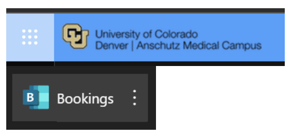
Bookings option showing under the Microsoft 365 app launcher

Training Resources

Getting Started

Contact the Service Desk if you have questions or need assistance with the setup and use of Microsoft Bookings.


Microsoft Bookings Training Videos

H2 here, starting a main section.

Main sections in this template are separated by 10px, colored padding widgets. Integer ut facilisis felis. Integer porta felis odio. Sed venenatis nibh ex, faucibus facilisis nisl euismod vel. Sed blandit aliquam nibh rhoncus malesuada.

Sed venenatis nibh ex, faucibus facilisis nisl euismod vel. Sed blandit aliquam nibh rhoncus malesuada

This is really important.

Sed venenatis nibh ex, faucibus facilisis nisl euismod vel. Sed blandit aliquam nibh rhoncus malesuada.

Sed venenatis nibh ex, faucibus facilisis nisl euismod vel. Sed blandit aliquam nibh rhoncus malesuada

Click this link if you want to see something cool.

[tab 2 content - click edit to update]

Another H2 here, starting a new main section.

Let's do four columns this time. Main sections in this template are separated by 10px, colored padding widgets. Individual line items are separated by 1px padding widgets. Integer ut facilisis felis. Integer porta felis odio. Sed venenatis nibh ex, faucibus facilisis nisl euismod vel. Sed blandit aliquam nibh rhoncus malesuada.

Go ahead and click this

A calm, rocky mountain stream in Winter.

This is just an H3 to start a subsection.

Donec aliquet pulvinar felis, sit amet tempor orci lobortis eu. Duis sit amet metus efficitur, ornare risus nec, iaculis nunc. Suspendisse ut vehicula quam, vitae vehicula nisi.

Let's get something started here

Information Strategy and Services

CU Anschutz

Fitzsimons Building

13001 East 17th Place

Aurora, CO 80045


CMS Login