Technology News & Initiatives

Search

Filter results by:

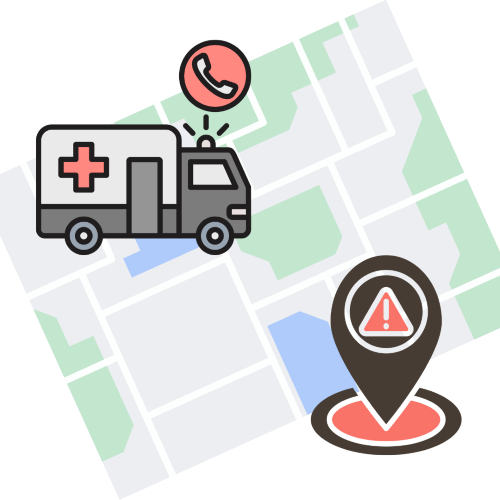
  • Graphic of an ambulance on a map heading to a dropped location.

    Location Services Standard

    Sep 15, 2025
    In the flexible work environment that Teams Calling provides, your physical location changes as you move around using different devices, which makes accurate location data essential for emergency response. Location data is only accessed if Teams Calling is used to place a 911 emergency call. It is not tracked for any other purpose. The Location Services Standard outlines the Standard for enabling location services for Microsoft Teams Calling on university-owned devices at CU Anschutz and CU Denver.  
    Full story
  • Image of a desktop computer and the Windows 11 logo.

    Windows 11 Transition Reminder by July 31, 2025

    Jul 17, 2025
    Microsoft will discontinue support for the Windows 10 operating system in October 2025. After this date, Windows 10 devices will no longer receive important security patches or performance updates. In alignment with the Baseline Secure Computing Standards, the Endpoint Management team has been working with IT professionals across the CU Denver and CU Anschutz campuses to update all university-owned Windows workstations to Windows 11 by July 31, 2025, to avoid a decline in computing performance for our Windows users and any potential security risks.
    Full story
  • SensusAccess logo

    SensusAccess Ending July 31, 2025

    Jul 17, 2025
    The university’s one year pilot of SensusAccess is coming to an end on July 31, 2025. This tool will no longer be provided by the Office of Information Technology (OIT). If you currently use SensusAccess to convert documents into a range of alternate and accessible media, your access will go away at the end of July. If you have an Adobe Creative Cloud or Adobe Acrobat license, that may work for you as an alternative solution for these tasks.
    Full story
  • Logo for MS Copilot - Rainbow circle

    Copilot Chat Training Resources

    Jul 17, 2025
    Thank you to everyone who joined or watched the recording of the training with Microsoft on using Copilot Chat. There was an extraordinary level of interest in this training which has allowed Information Strategy and Services (ISS) the opportunity to expand our resources and learning materials for using AI to support your work with the university.  Read more for resources.
    Full story
  • Upcoming Software Licensing Renewals

    Jun 18, 2025
    As we approach the fiscal year end, it is also time for you to renew the software license(s) you have purchased with the Office of Information Technology (OIT). This year, the process to renew your license(s), specifically Adobe and BioRender, will be changing in order to migrate all active licenses into our new, more efficient and user friendly, CU Denver | Anschutz OnTheHub Software Store.
    Full story
  • Showing 6 - 10 of 48 results

IT Security Awareness & Action

Search

Filter results by:

  • Image of a person scanning a QR code on their computer with their phone and a warning alert.

    QR Phishing Scams

    Aug 18, 2025
    While you continue to maintain vigilance on phishing (email) and smishing (text) scams, it’s important to also be aware of a newer threat called QR phishing or “quishing”. “Quishing” is a phishing scam that uses a QR code to compromise your credentials or data. QR phishing or “quishing” is when a bad actor manipulates a QR code to redirect users to a malicious website or to download malware. It works the same as if you clicked on a malicious link in an email or text message.
    Full story
  • Image of a desktop computer and the Windows 11 logo.

    Make Sure You’re Running Windows 11

    Aug 19, 2025
    If you believe your device is still running Windows 10, please contact your department or unit IT professional to ensure that your device is upgraded and/or supported immediately. If you do not have a designated IT professional, please contact the OIT Service Desk.   Starting August 21st, university-owned devices that are still running Windows 10 without extended support will receive pop-up reminders and an email when they log in, notifying the user that the device is non-compliant and to contact their IT professional or the OIT Service Desk for assistance.
    Full story
  • Image of a person selecting a safe file storage location on their computer.

    File Storage Best Practices

    Jun 20, 2025
    The Information Security and IT Compliance (ISIC) approved file storage locations include H: Drive/Isilon or the university provided OneDrive for Business. We strongly encourage all university information, data and assets be stored in one of these file locations to ensure they are easy to retrieve if you need a new device, protected if there is unexpected event that could lead to data loss on your desktop, and are compliant with federal and university information security regulations.
    Full story
  • Image of a person clicking a button to encrypt their computer.

    Encryption Phased Rollout for Windows Workstations

    Jun 20, 2025
    Starting in June 2025, Information Strategy and Services (ISS) is working with the Denver Office of Information Technology (OIT) and our IT partners across the CU Anschutz and CU Denver campuses to conduct a phased rollout of the new Encryption Standard for all university-owned Windows workstations. University-owned Mac devices will be addressed in a future rollout.  
    Full story
  • Reminder: Information Security Awareness Training

    Jun 20, 2025
    In fall of 2023 the university updated the requirements for taking the Information Security Awareness Percipio training. It is now required for all university employees (faculty and staff) to take this training every two years to maintain important campus security safeguards.
    Full story
  • Prepare Before Submitting a Technology Risk Assessment

    Apr 24, 2025
    In most aspects of life, being prepared sets you up for success in anything you do. The same goes for IT professionals submitting a Technology Risk Assessment prior to purchasing any applications, software, or hardware for their unit or department. These technologies must be assessed for security and digital accessibility compliance before they can be used for your work with the university. Read the full article for steps you should take prior to submitting a Technology Risk Assessment, so that you have all the materials required at hand when you fill out the questionnaire.
    Full story
  • Showing 7 - 12 of 58 results
CMS Login